Sets
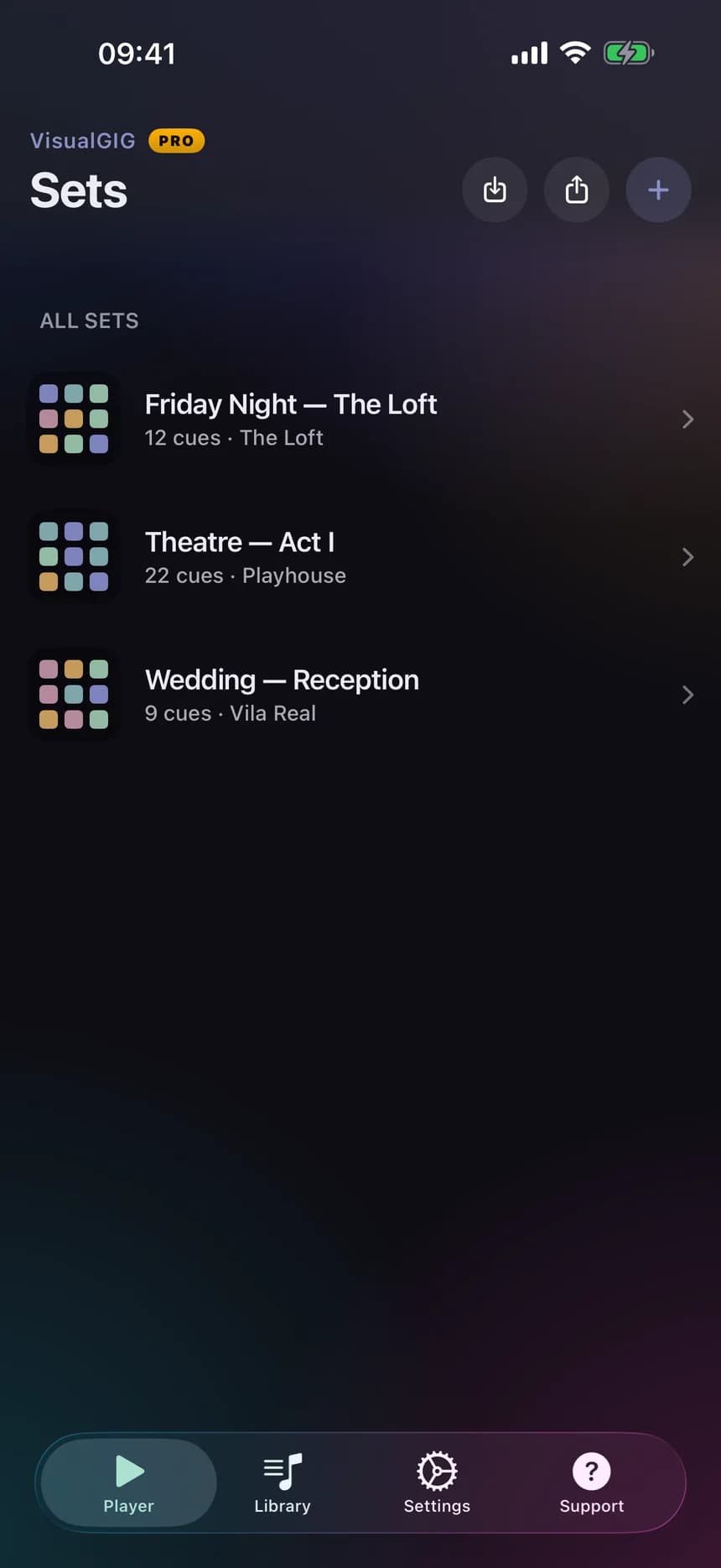
One set per gig, rehearsal or service, with a venue line so you can tell two similar shows apart. Move them between devices as .vgset files.
IndigoSageAmberRoseTeal

VisualGIG
A launchpad for live audio on iPhone. Lay your cues out as pads you can read at a glance, then hit them without looking.
The design brief was one sentence
Most live-playback tools are either DAW-class software that needs a laptop and a soundcheck, or a generic media player that was never designed to be touched under stage lighting. VisualGIG sits between them: the reliability of a purpose-built cue player, at the size of the device already in your pocket.
01
One set per gig, rehearsal or service. Name it, tag the venue, pick an accent colour so two similar shows never look alike.
02
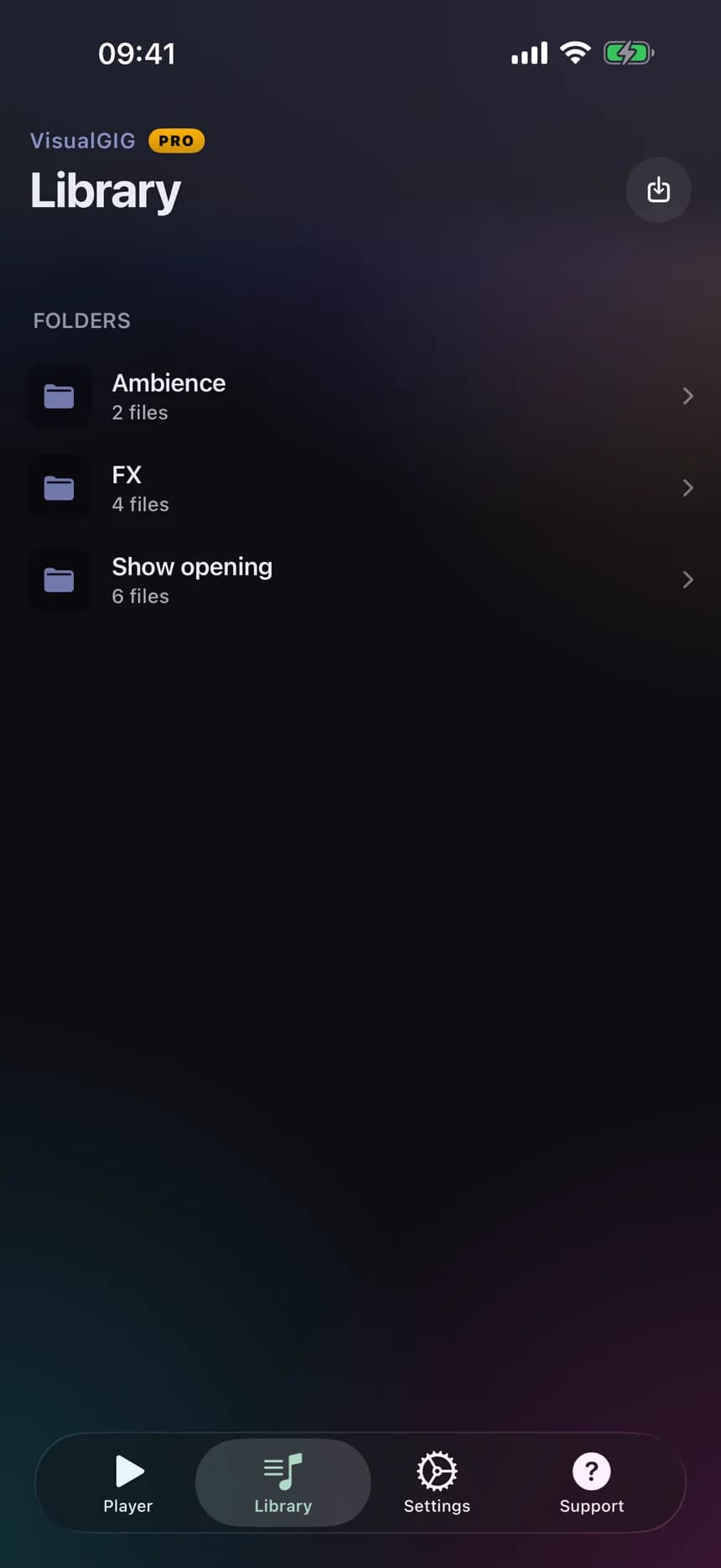
Import WAV and MP3 straight from Files, iCloud Drive or AirDrop. Preview a file before you commit it to a pad.
03
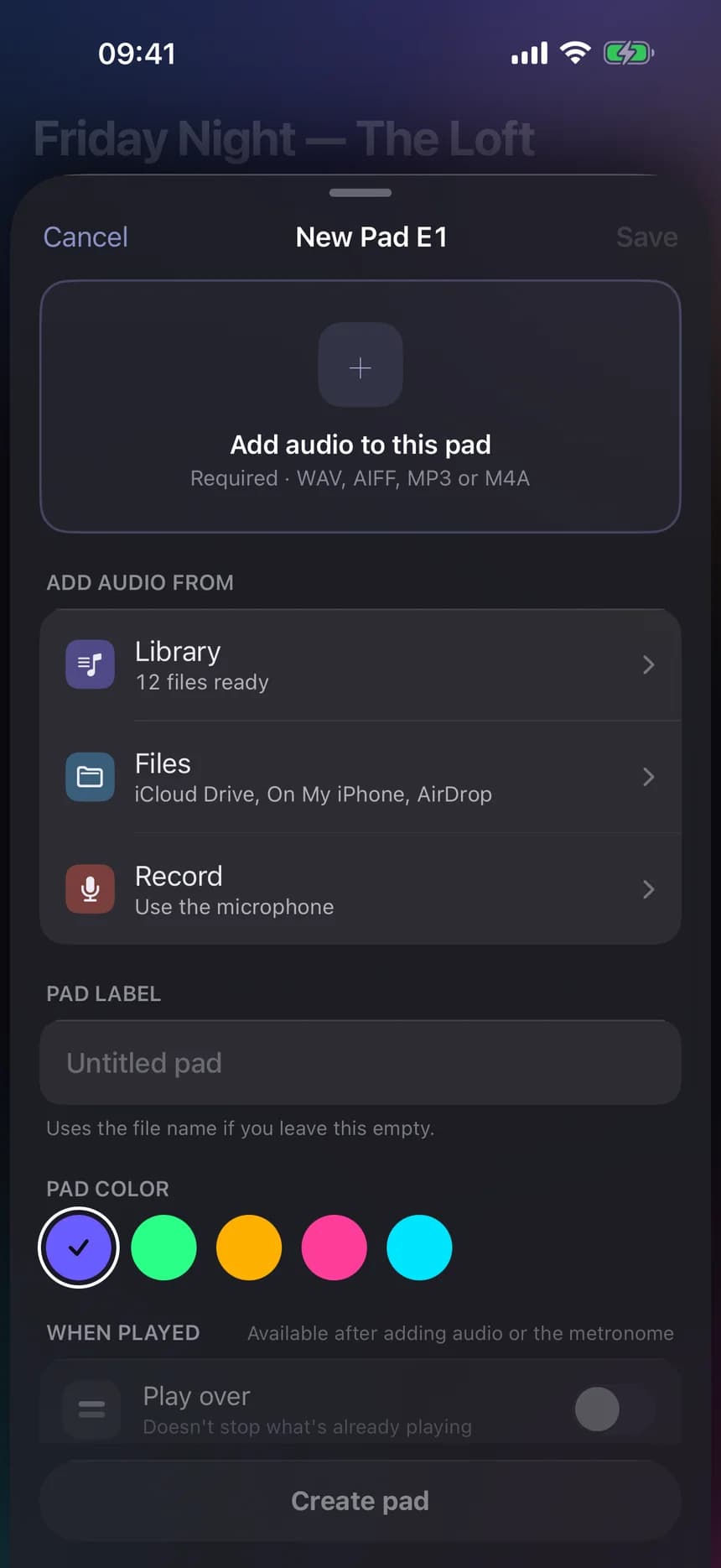
Pick the audio, name the pad, choose a colour. Done. Edit mode keeps rename, recolour, reorder and delete one tap away.
04
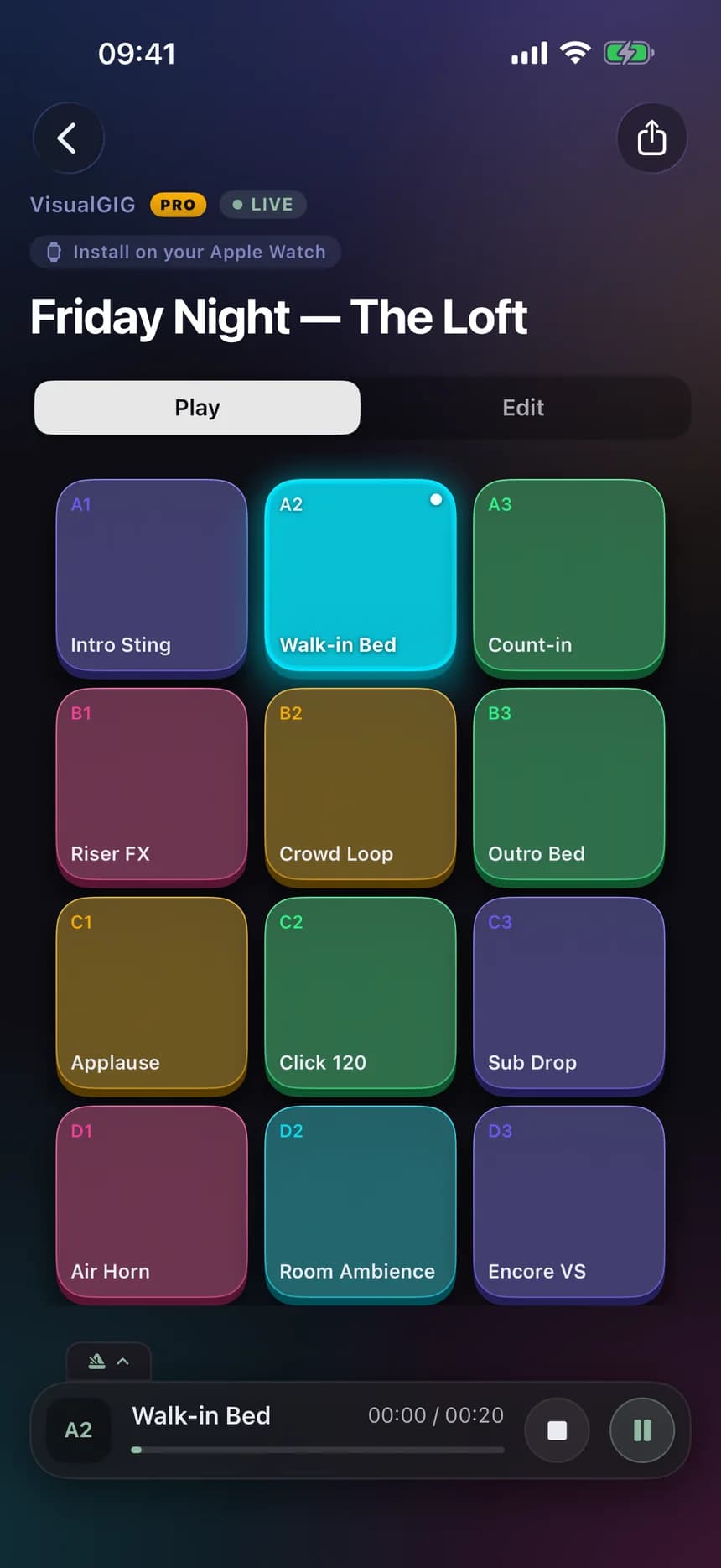
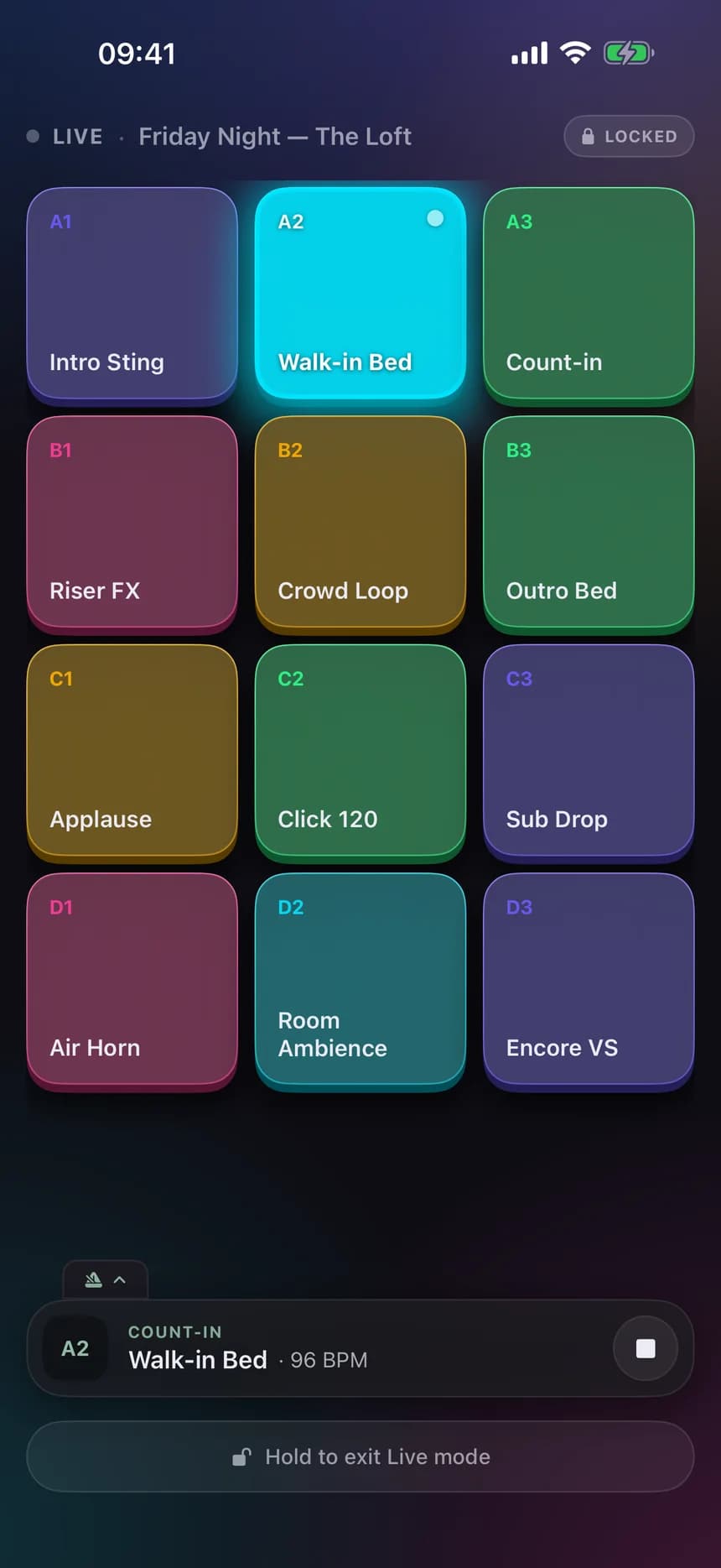
Tap a pad. The cue fires. That is the whole interaction. The playing pad carries elapsed and total time where you can see it.
05
Nothing editable on stage. Bigger targets, a sage frame, one large STOP, and a hold gesture to leave.
Live mode
Rename, delete and reorder are gone. A stray touch cannot change the set while it is playing.
Isolated from the pads, so the control you need in a hurry is never next to the one you don't.
Leaving is a deliberate gesture. The sage frame and LIVE indicator make the armed state unmistakable.
Features
One set per gig, rehearsal or service, with a venue line so you can tell two similar shows apart. Move them between devices as .vgset files.
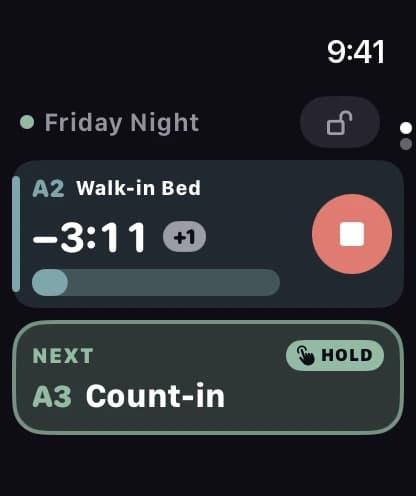
Wrist control for the running set, so the phone can stay on a stand and out of your hands.
Who it is for
Musicians
Backing tracks and intro stings, fired from stage without turning around.
Worship and event teams
Beds, walk-ins and applause, cued in order by whoever is on the desk.
Theatre and small venues
Reliable playback for a room that does not have a laptop rig.
DJs and hosts
Drops, horns and idents between segments, one tap each.
Privacy
VisualGIG does not require an account and does not upload your audio. Files are copied into the app, playback is local, and sets move between devices as .vgset files you control.
Read the privacy policy →
VisualGIG is an iPhone app for cueing live audio. iPhone, iOS 17 or later, with an Apple Watch companion app.
 Support